Gibbous

A Hermes-native AI cockpit

A better UI for the Hermes you already run. It uses your existing Hermes backend, so it's not another orchestrator: your models, skills, memory and sessions stay where they are.

Open source, MIT. macOS, Windows and Linux, with Hermes installed. iPhone and Android apps are coming soon.

90 seconds, with sound. Short on time? Watch the 18-second teaser.

Hermes-native

Not another orchestrator

Gibbous runs on the Hermes you already have. Every thread is a real Hermes session with your usual models, tools, skills, memory and MCP servers, and transcripts stay in Hermes. Use it as a better UI for Hermes and nothing more, if that's all you need.
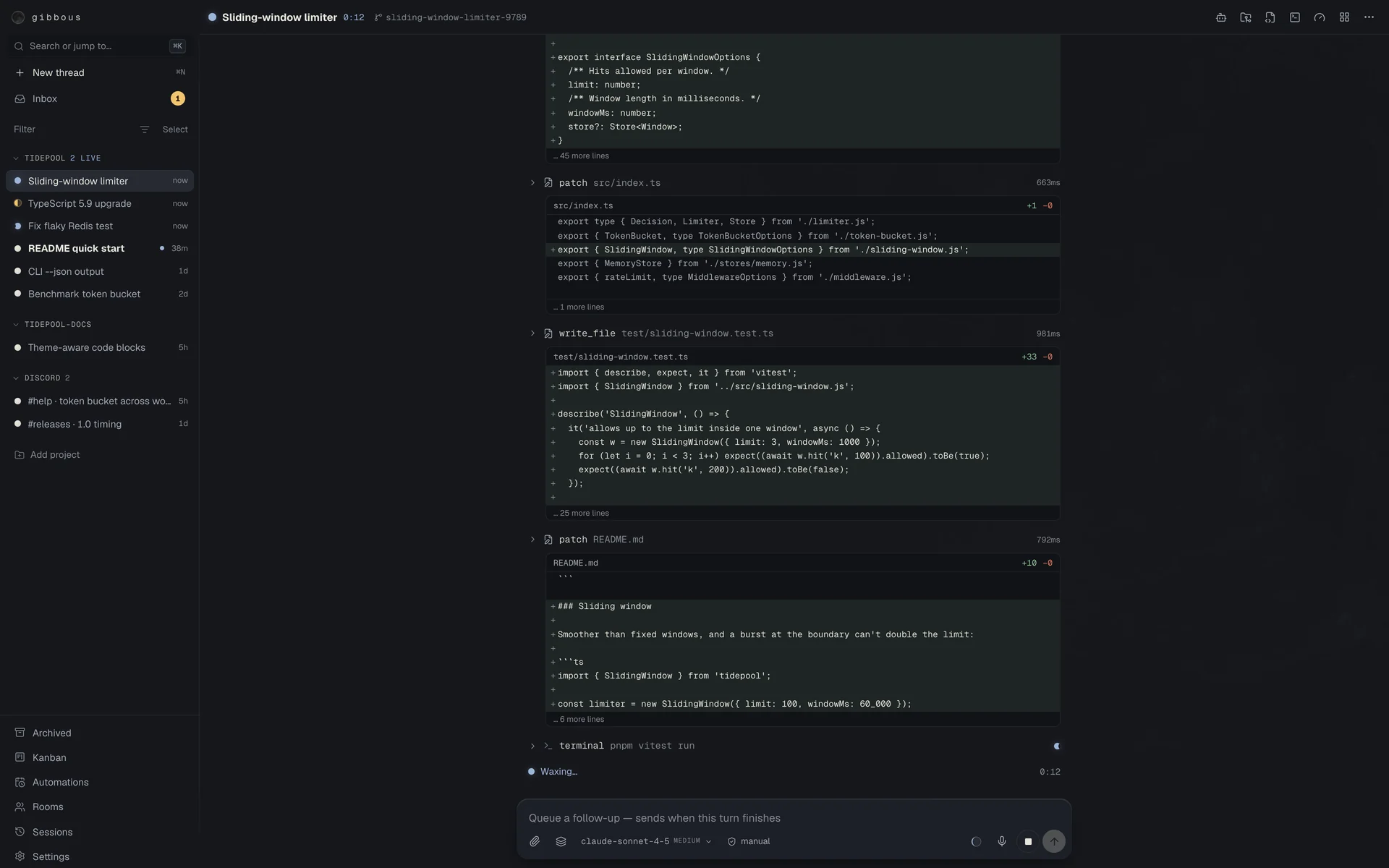
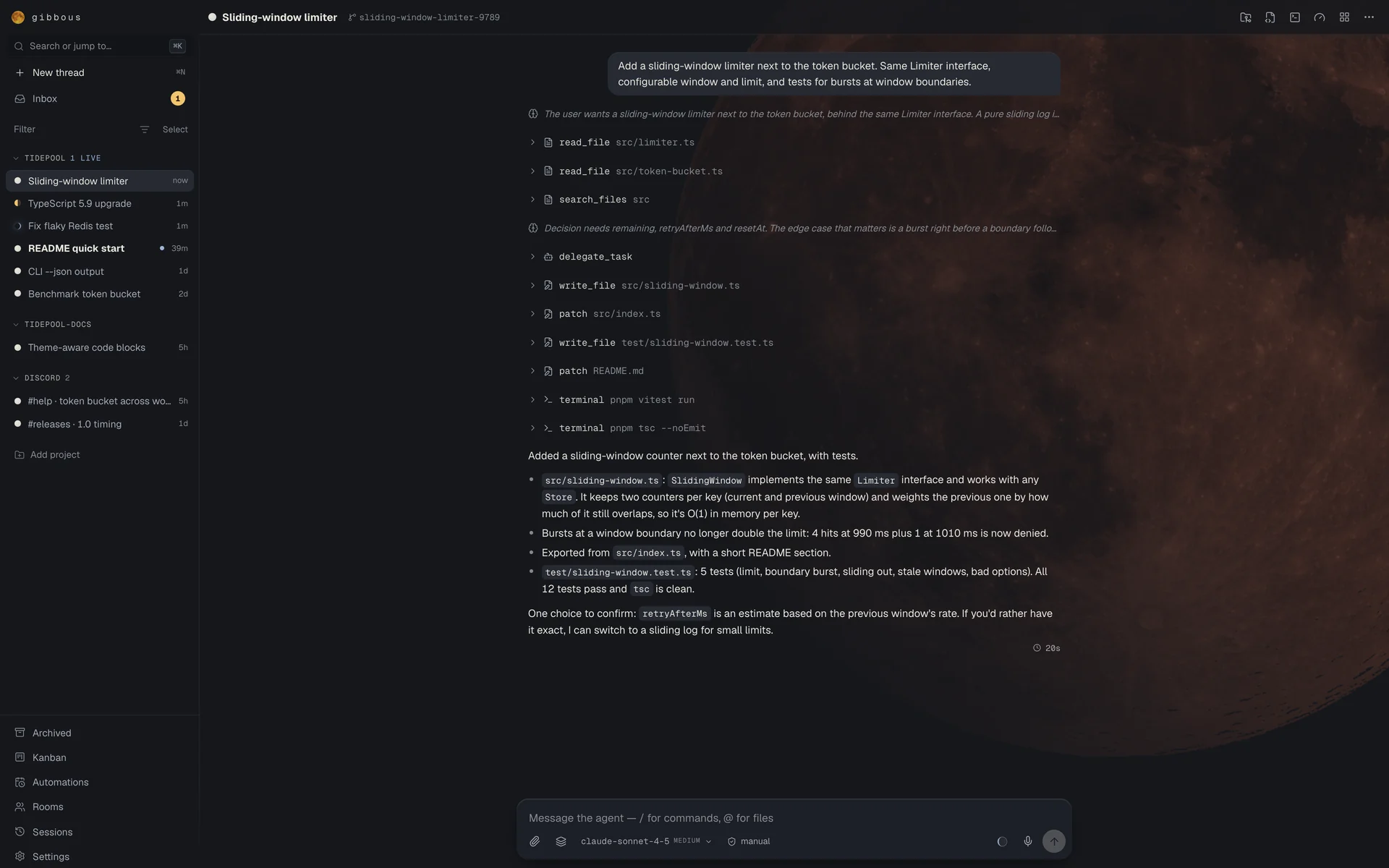
A Gibbous thread mid-turn, with reasoning and tool calls streaming

Sessions

Bring the sessions you already have

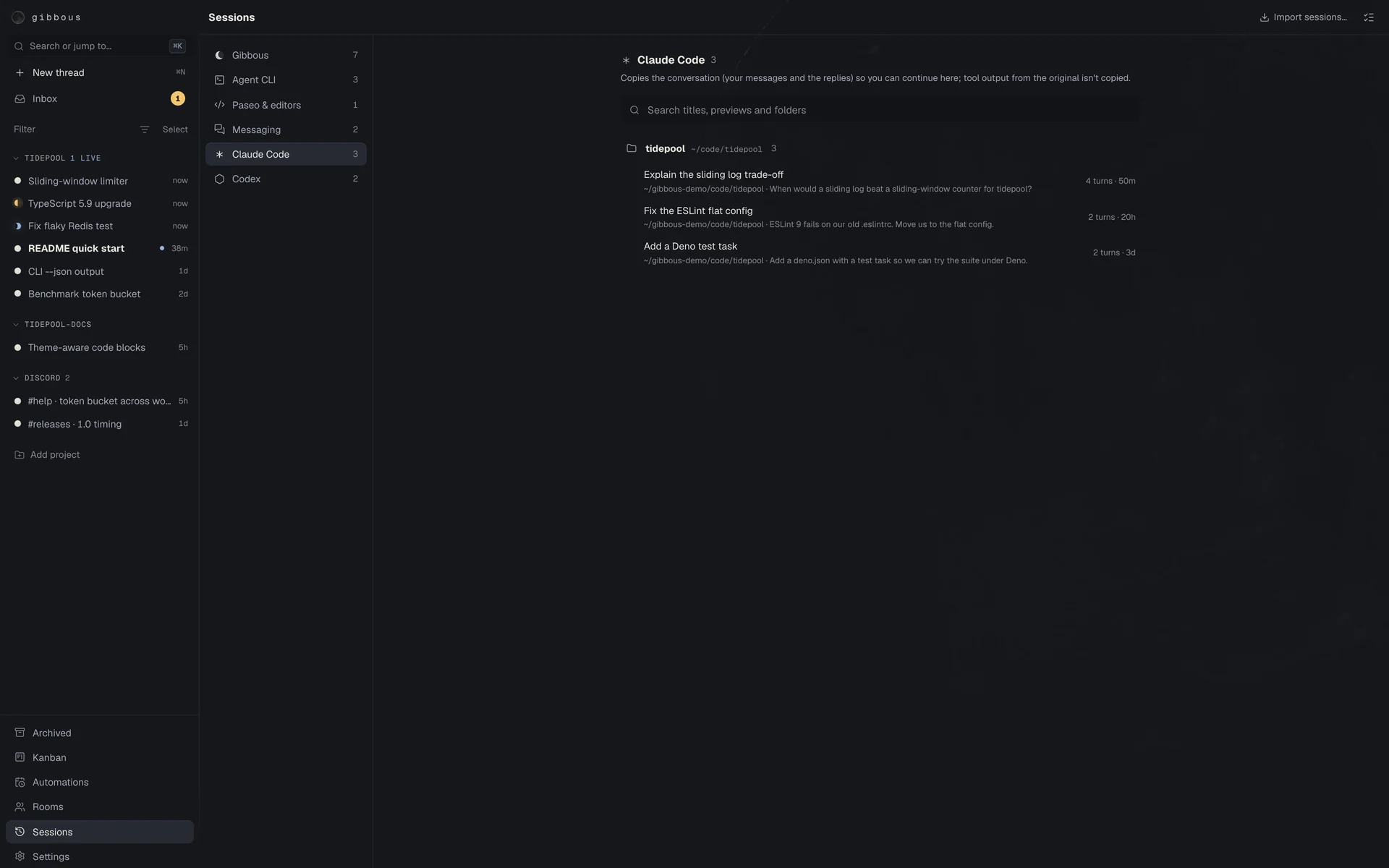
Every Hermes session, sorted by the tool that ran it: the CLI, editors over ACP, Discord and other chats. Import Claude Code and Codex sessions to keep going here, mirror a whole source such as Discord into the sidebar, and search every transcript.

The Sessions screen listing Claude Code sessions ready to import

Threads

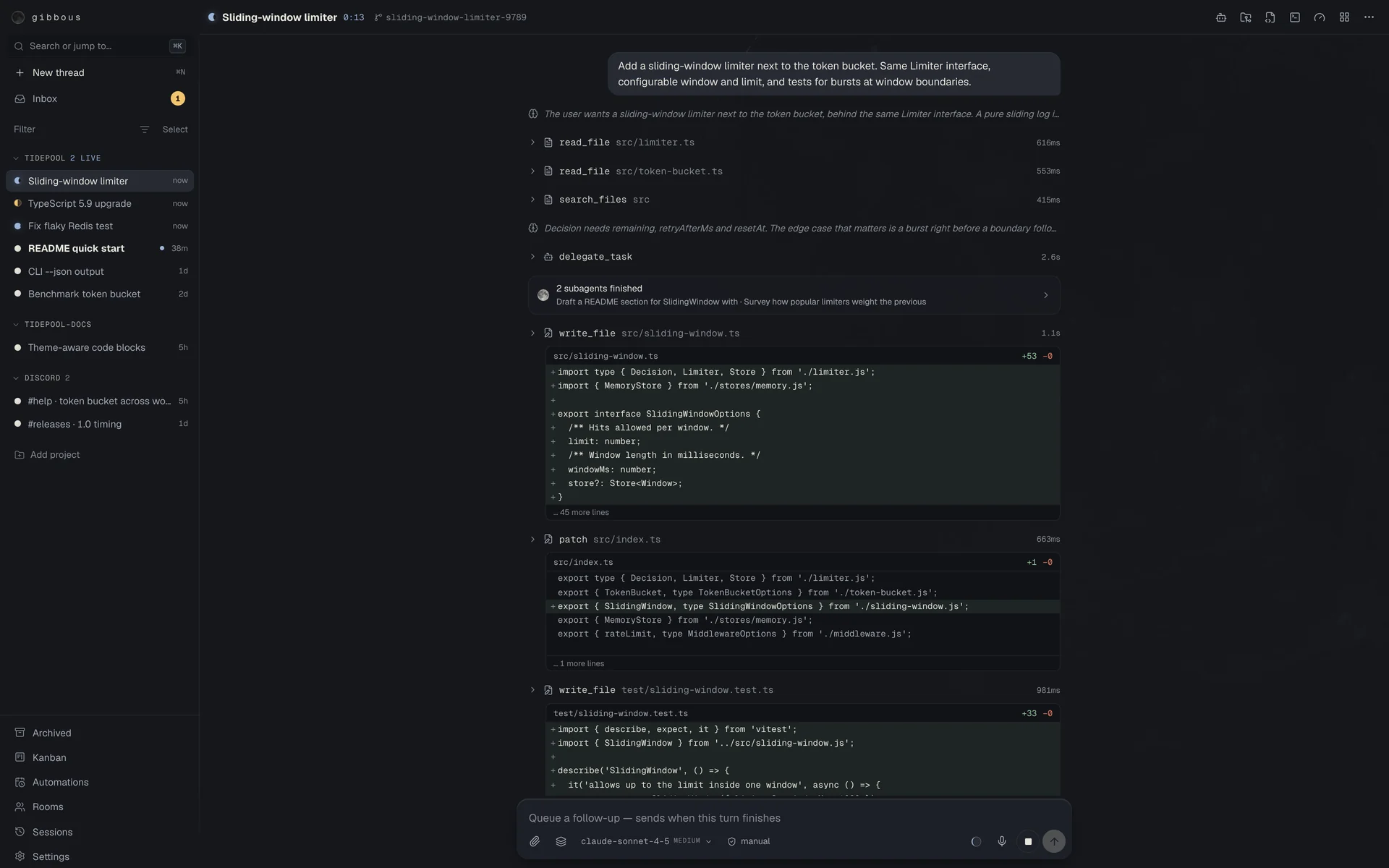
Parallel threads in their own worktrees

Each thread can run on its own git branch, so several agents work at once without touching each other's files. Reasoning, tool calls and subagents stream live, and you can steer or stop them.

A thread with reasoning, subagents and an inline diff

Kanban

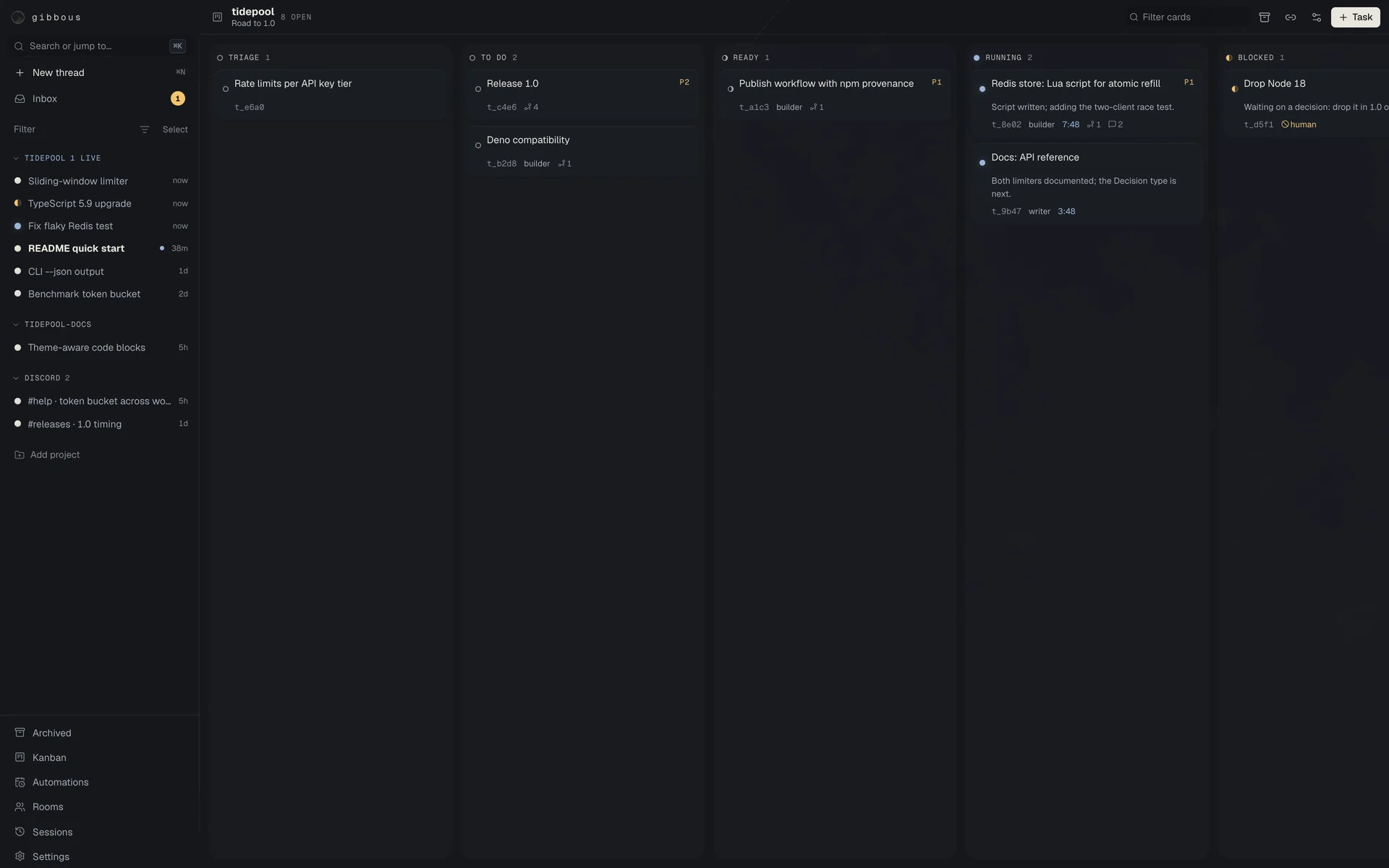
Your Hermes kanban, as a board

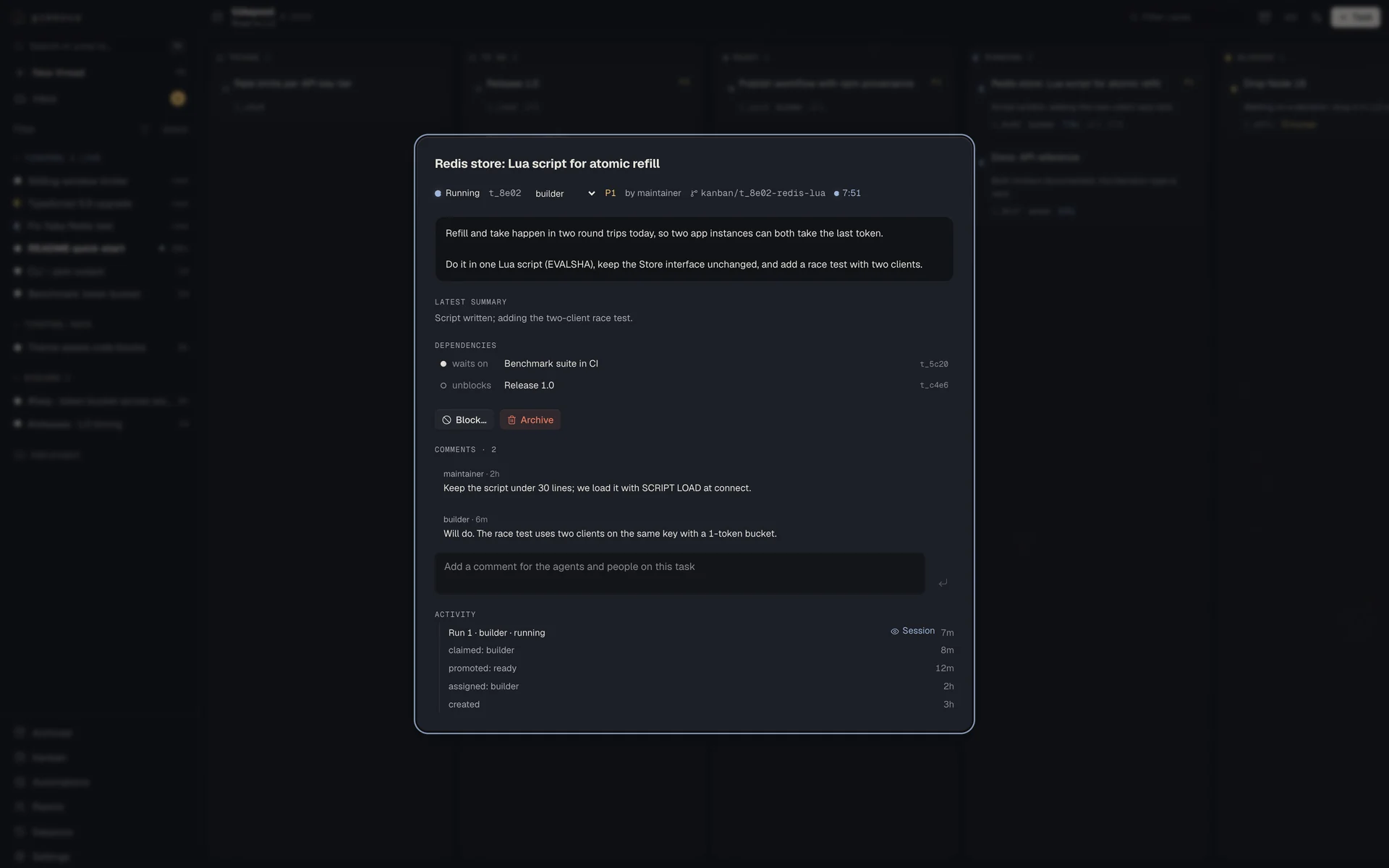
Gibbous has no task system of its own. It shows each project's Hermes kanban, live, with columns that follow Hermes' statuses. Open a card for its dependencies, comments, activity and the worker's session. jk walk cards, hl columns.

A project's Hermes kanban board in Gibbous A kanban card with its dependencies, comments and the worker's run

Panels

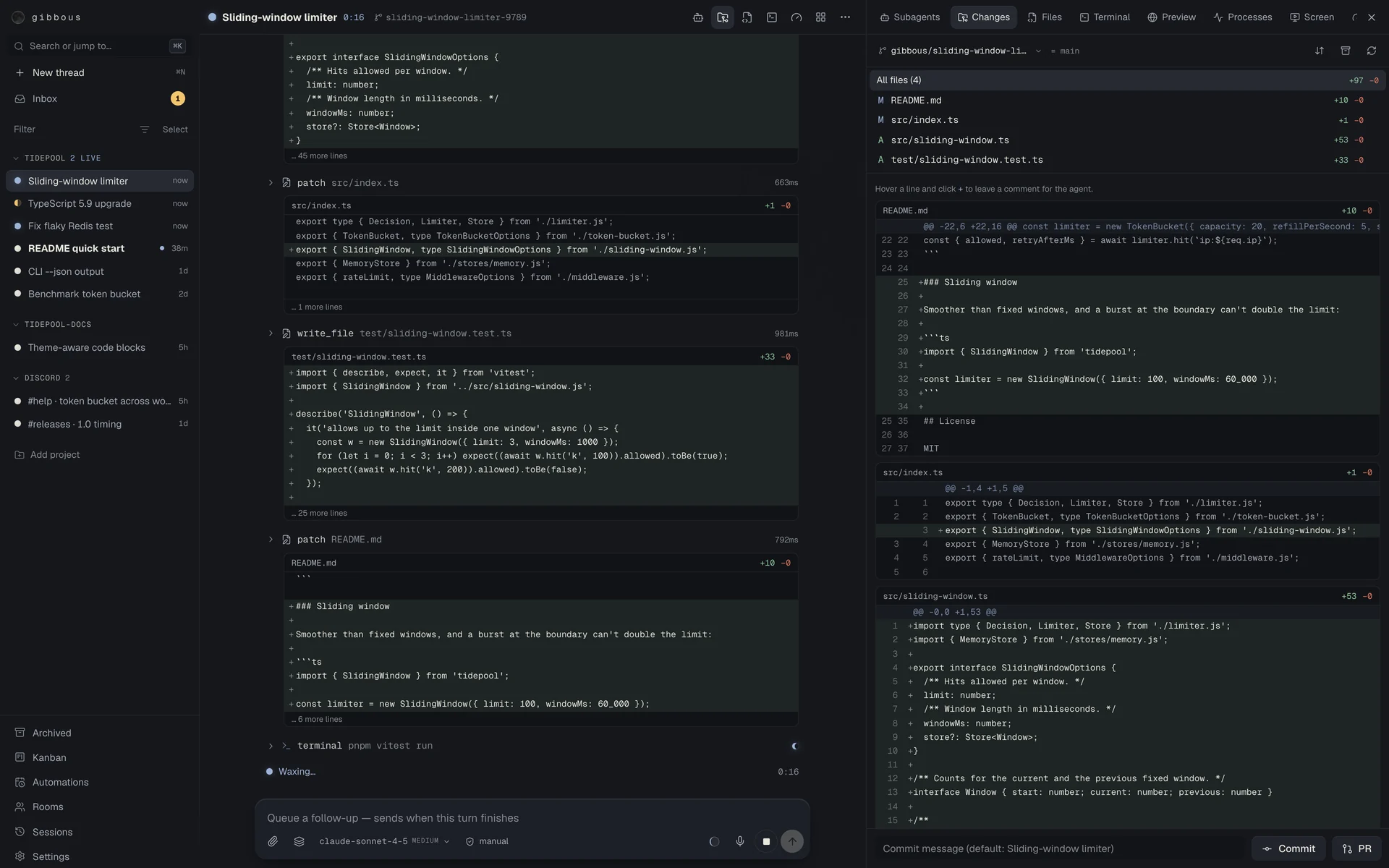
Diffs, terminal and preview beside the chat

Review the diff with line comments, revert, commit, sync with the base branch and check the PR. Run your project scripts in a terminal tab or open the local dev server, without leaving the thread.

The Changes panel showing a diff next to the thread

iPhone

An iPhone app for your Hermes

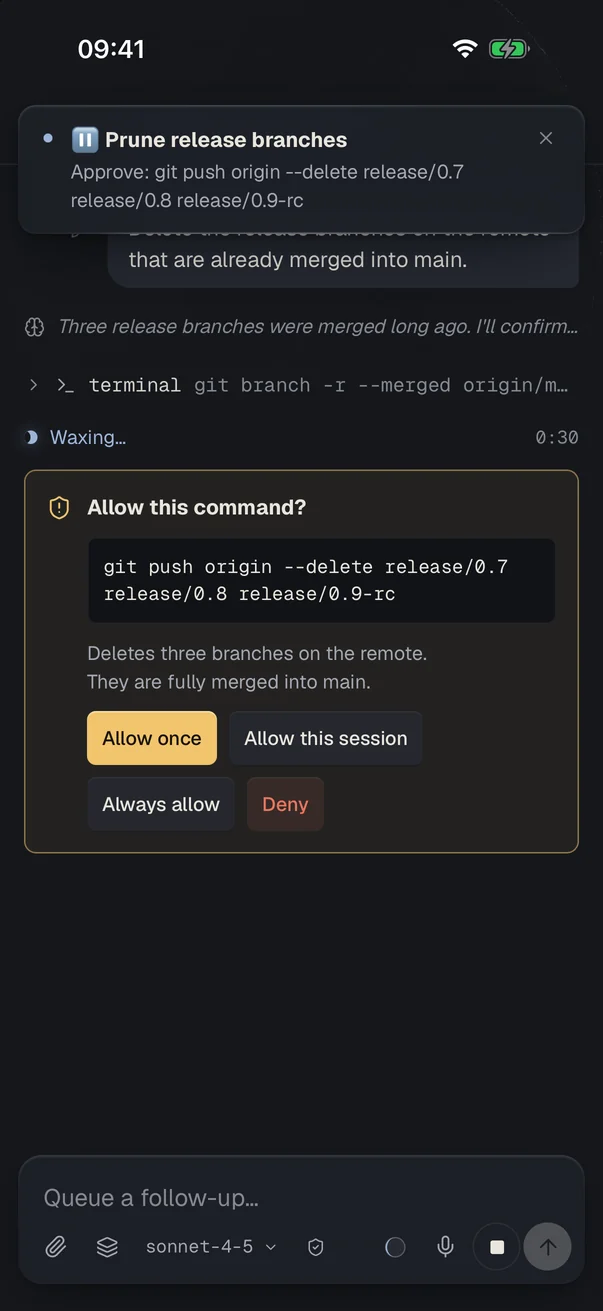
Gibbous ships with a native iPhone app that talks to your Mac over your own tailnet. Approvals, questions and finished work arrive as push notifications, or it's simply a nice Hermes app in your pocket. The iPhone and Android apps are coming soon to the App Store and Google Play; until then you can build the iPhone app from ios/ in the repo.

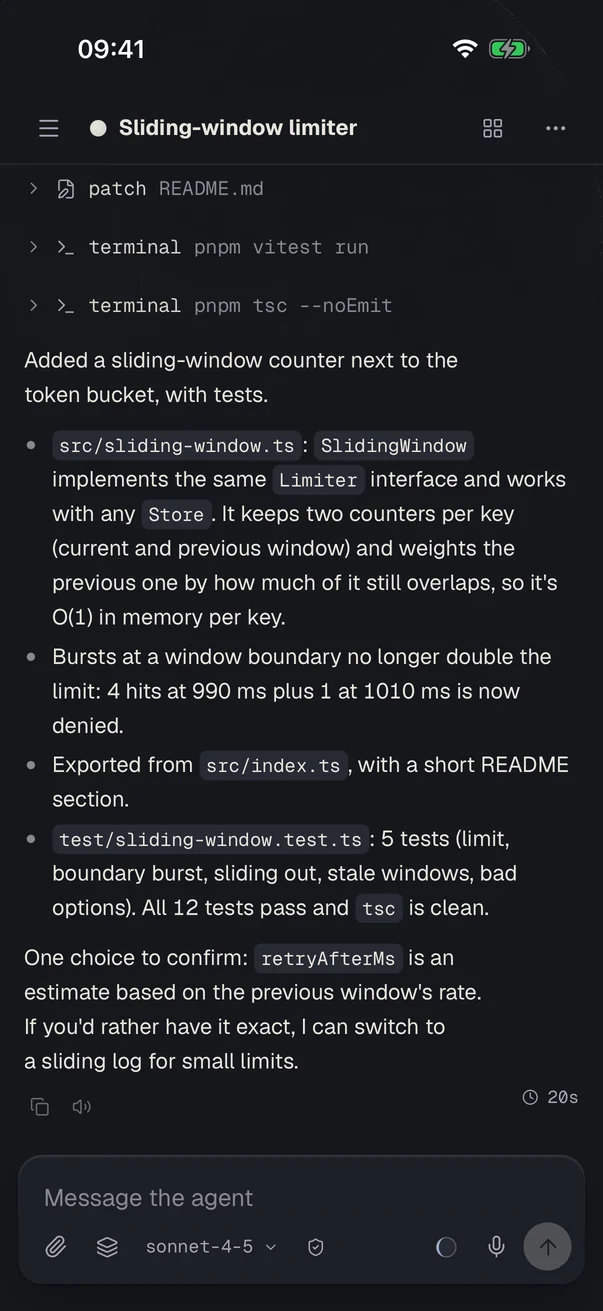
A thread in the Gibbous iPhone app An approval request in the Gibbous iPhone app

The Moon

Lock in, guided by the Moon

Tonight's real moon sits faintly behind your work: its phase, the tilt it has in your sky, and the copper of a lunar eclipse when there is one. Progress waxes like the moon. Calm enough to stay in for hours.

A thread with the eclipsed moon glowing copper behind it

Keyboard

Every screen, from the keyboard

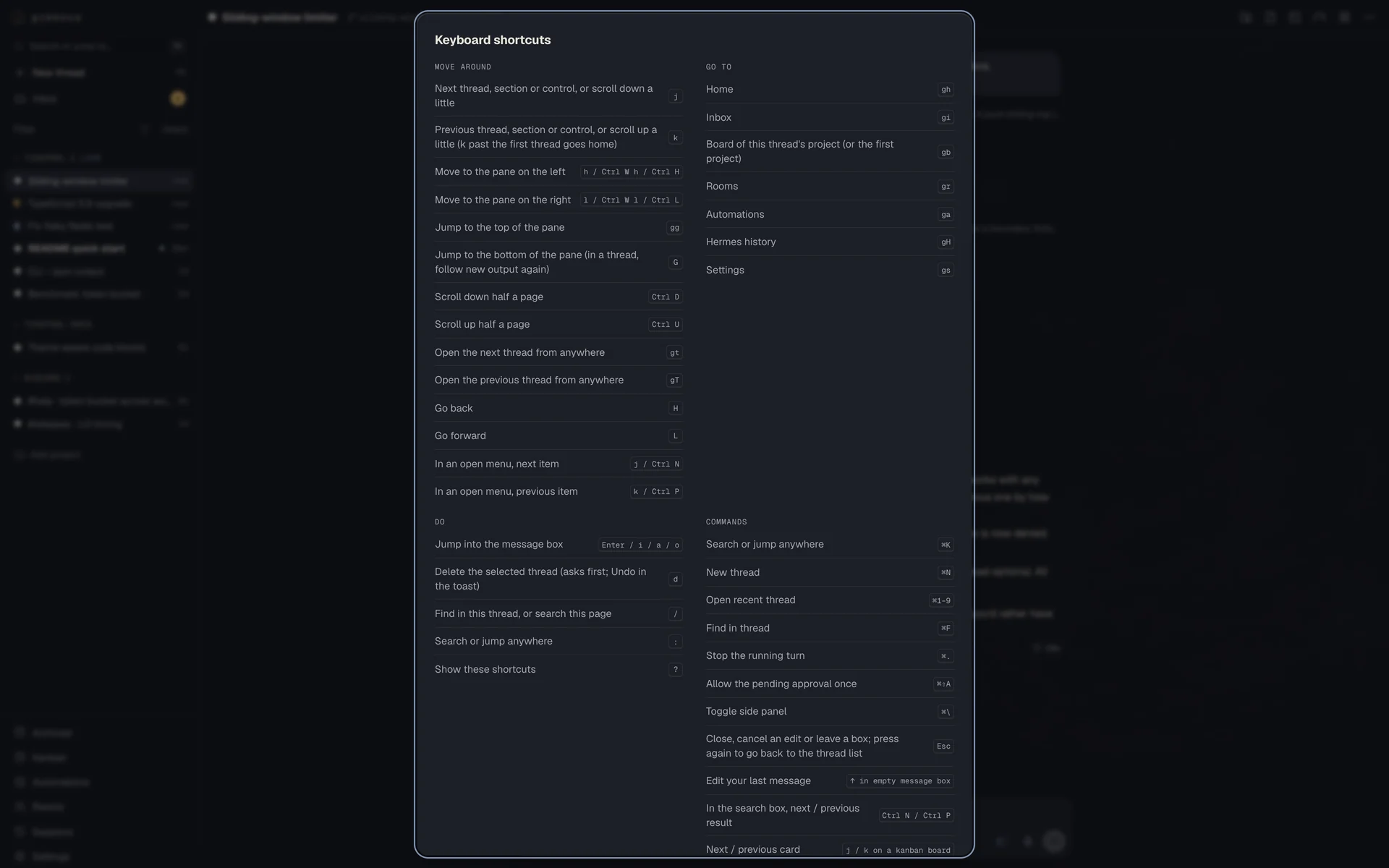
Vim-style keys throughout, so your hands stay where they are. Press ? on any screen for the full list.

jk Move hl Switch pane gt Next thread ⌘K Jump anywhere
The keyboard shortcuts sheet

How it runs

Your Hermes, your machine

Download

Gibbous for your desktop

One download: open it and Gibbous runs. It brings its own server, and if Hermes isn't on your computer yet it installs the official one for you, then helps you pick a model and bring your sessions in. Native notifications, a badge and a global hotkey included.

macOS

macOS 13 or later · Apple silicon and Intel · notarized

Windows

Windows 10 and 11 · x64

Linux

x86-64 · Debian, Ubuntu and others

iPhone & Android

Coming soon to the App Store and Google Play

Coming soon

Every release, with checksums: GitHub releases.

Install

Or run it from source

Gibbous is MIT-licensed. To run the server from a checkout instead (macOS, Linux or Windows, next to an installed Hermes), the install script builds the web app and runs Gibbous at login.

git clone https://github.com/mfiumara/gibbous && cd gibbous && pnpm install && scripts/install-service.sh

Windows (PowerShell): the same, ending with scripts\install-service.ps1.